Prompt beside the camera
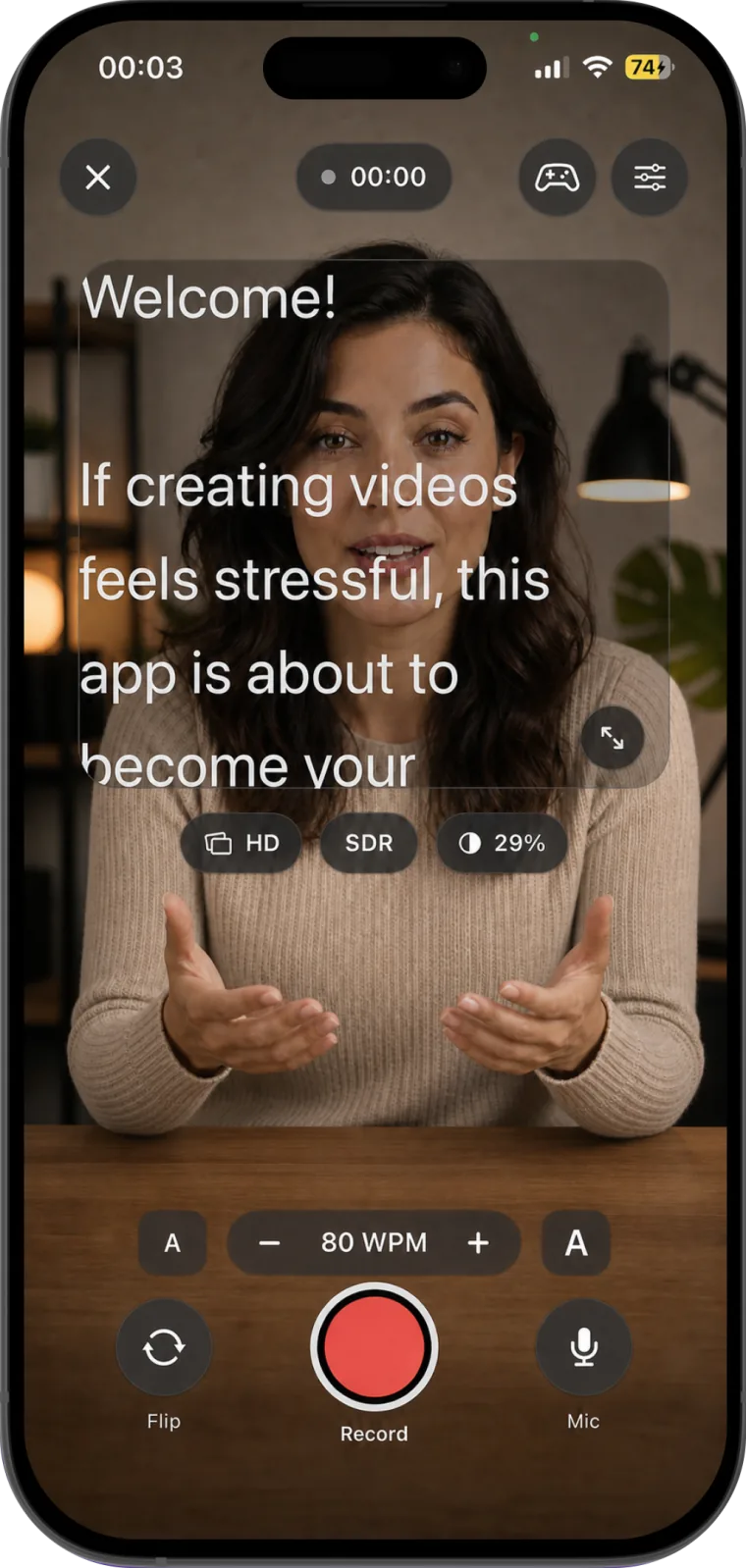
Maintain eye contact while your words scroll at a pace that feels natural to you.
Teleprompter for video: Studio
Scripts · Camera · Editor
Teleprompter and video recorder for iPhone and iPad
Use a scrolling teleprompter beside the camera, record video, organize scripts, and edit recordings on iPhone and iPad.
Teleprompter for video: Studio features
Create a script, set the scrolling speed and text size, record with the front or back camera, and edit the finished video.
Maintain eye contact while your words scroll at a pace that feels natural to you.
Switch cameras, pause and resume, control the microphone, and keep the take moving.
Adjust speed, text size, mirroring, and the prompt position while you record.
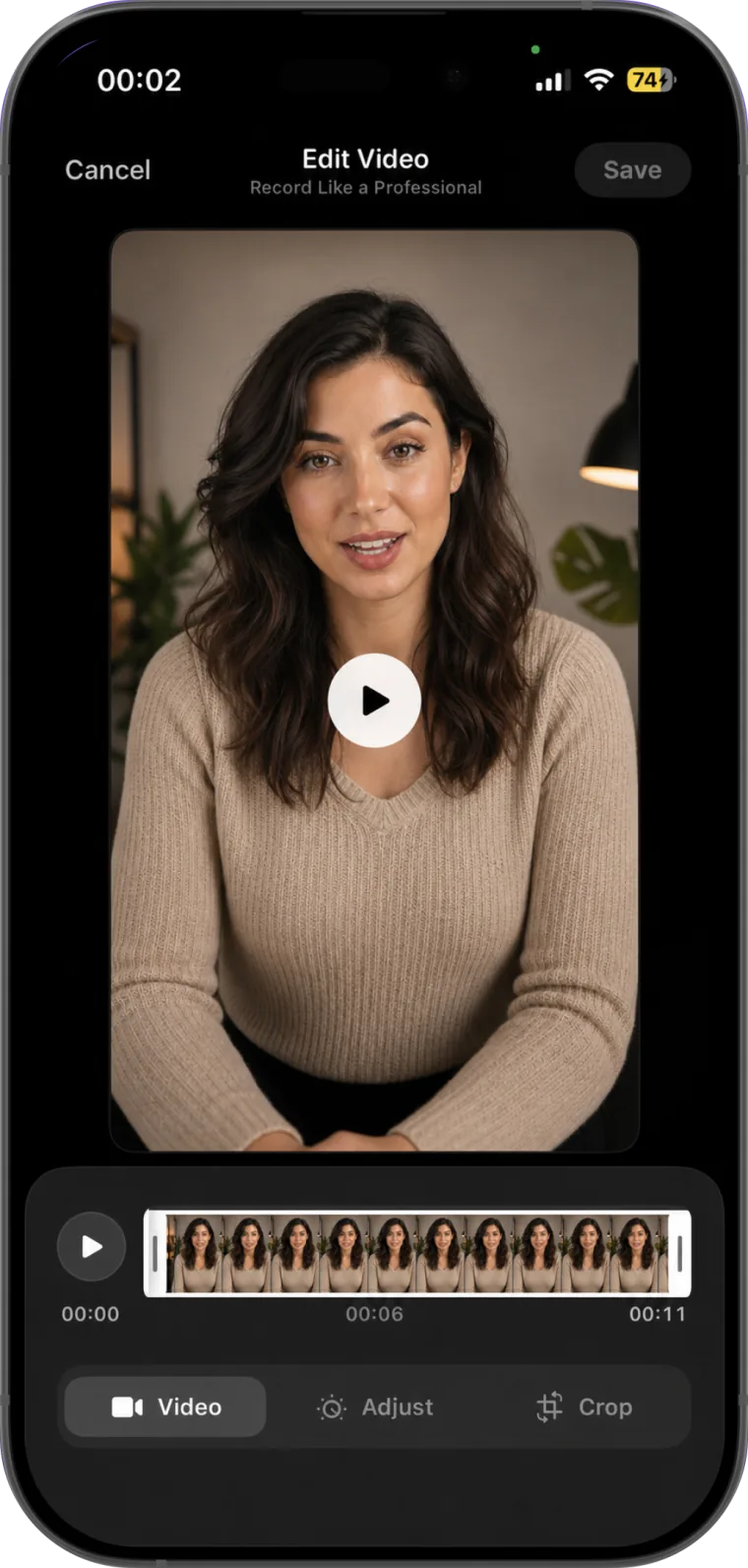
Trim, crop, adjust, and prepare videos for vertical, square, widescreen, or cinematic formats.
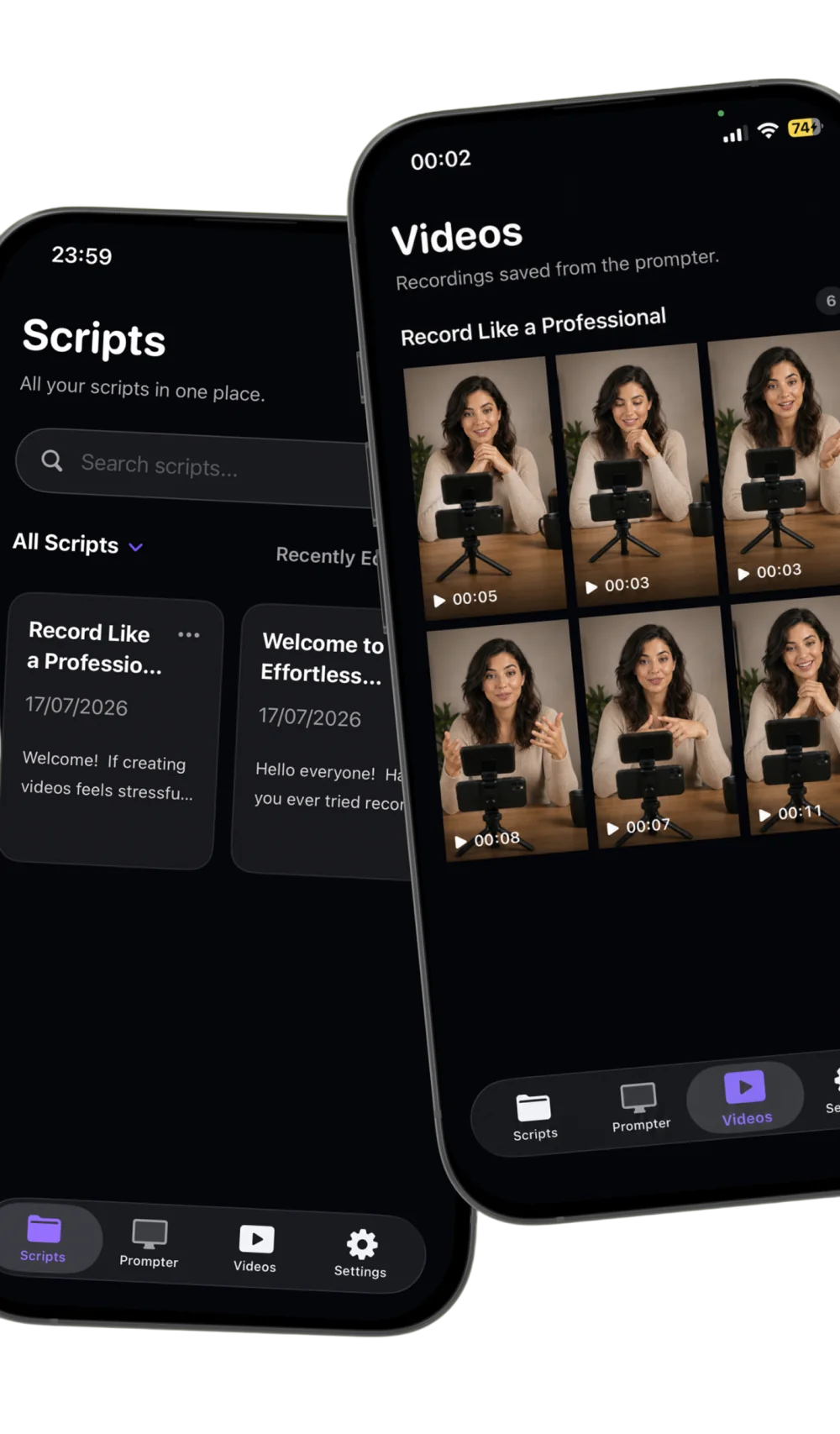
Script and recording library
Create and search scripts, record against them, then find the finished takes in the same focused workspace. Your scripts and recordings stay stored locally on your device.
Teleprompter for video: Studio blog
Learn the practical setup for a comfortable reading speed, better eyeline, shorter phrases, and a delivery that still sounds like you.
Read the 7-minute articleApp information
Teleprompter for video: Studio is an iPhone and iPad teleprompter, camera recorder, and video editor. It displays a scrolling script beside the camera so you can read while recording.
The app is available for iPhone and iPad and requires ios 18 or later. Product availability and purchase information are maintained on the Teleprompter for video: Studio App Store listing.
Read a scrolling script beside the camera, record video, and edit the finished recording.